
Grafana: Beautiful Charts, Better When They Line Up
I really like Grafana. These charts are a good example of why.
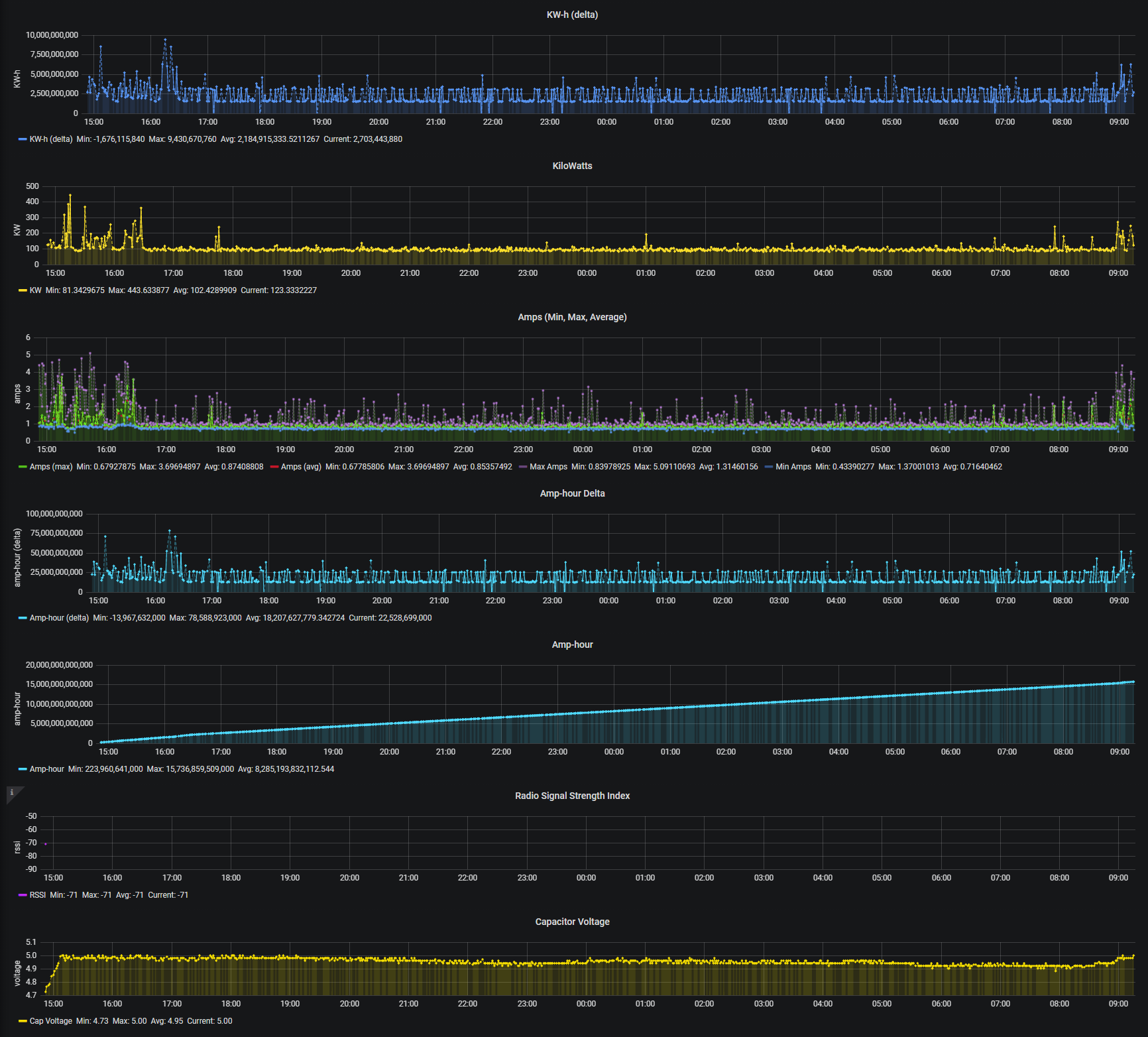
Different measurements, distinct colors, a consistent appearance, and a lot of information without everything being crammed onto one graph. There’s something satisfying about seeing the data laid out like this.
But look closely at the left edges of the plotting areas.
Some measurements have short axis labels. Others have much longer numbers. The space needed for those labels changes where each plot begins, even though the charts cover the same time range.
That makes comparing events between charts more work than it needs to be. Follow a vertical line down the page, and you aren’t necessarily looking at the same moment.
Here’s the alignment I’m aiming for:
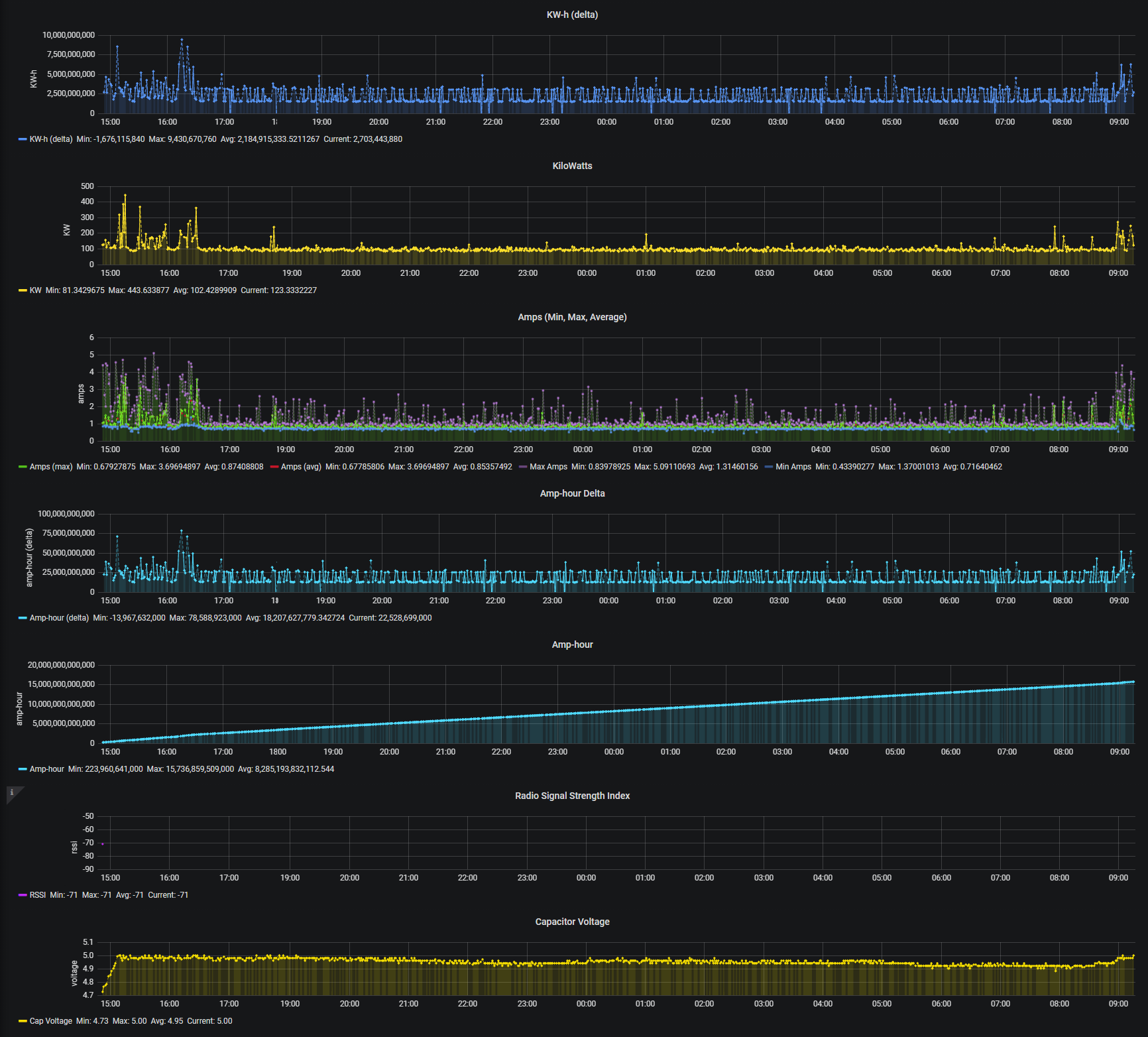
Give the charts enough room for their labels, then keep the plotting areas aligned. The same time should occupy the same horizontal position all the way down.
Now I can look at a spike in one measurement and scan down to see what the others were doing around that moment. That doesn’t establish a cause, but it makes the comparison much easier.
This is the kind of detail I appreciate in a dashboard tool: control over the presentation that helps me read the data.
The charts were already beautiful. Getting the timelines to line up makes them more useful, too.